Home
Store
Freeware
News
Videos
Forums
Support
My Account
Cart Contents
Checkout
Store
>
Virtual Instruments
>
Mopis
Search
Advanced Search
Manufacturers
Please Select
11D Media
Acon Digital
Acousticsamples
AIR Music Tech
AKAI Professional
Apogee Digital
Applied Acoustics Sys..
Arobas Music
Audiaire
Audified
Audiomodern
Audionamix
AudioSourceRE
BBE Sound
BeatRig
BeatSkillz
BFD
Blue Cat Audio
Chocolate Audio
D16 Group
DSP-Quattro
DSpatial
DUY
EarMaster
Eventide
Flux
Fourier Audio
HeadRush
Homegrown Sounds
Iced Audio
Ina - GRM
Internet Co.
IrcamLAB
Kilohearts
Krotos Audio
Kuassa
Mastering The Mix
Mathew Lane
McDSP
MeldaProduction
Metric Halo
MIA Laboratories
MixMeister
Mixvibes
Moog
MusicLab
New Audio Technology
Nomad Factory
Nugen Audio
Overloud
Pibox
Ploytec GmbH
Plug And Mix
PSP Audioware
Pulsar Audio
Relab Development
Rob Papen
Sample Magic
SONiVOX
Sonnox Oxford
Sonoris
SoundLib
Synchro Arts
Tek'it Audio
Touch Loops
Tracktion Software
TrainYourEars
Trip'n Lab
Ueberschall
Ultimate Producer
United Plugins
Volko Audio
Voxengo
Wave Arts
Wusik
Xhun Audio
XILS-Lab
XLN Audio
ZenAud.io
Zynaptiq
Categories
Books
(2)
DJ
(5)
Editors
(8)
Plug-ins
(875)
Sequencers
(9)
Sounds
(311)
Utilities
(11)
Video Tutorials
(2)
Virtual Instruments
(184)
Misc
(4)
Private Deal Zone
Get prices that can not be advertised from our product pages!
PriVate DEALS ZoNE
Specials
AIR Creative Collection
$149.99
$149.99
Share and Follow Us
What's New?
Revalver Producer Bundle
$129.99
$129.99
Mopis
[mopis]
$49.00
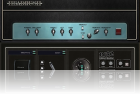
Click to enlarge
High-Quality Software Synthesizer
Mopis is a high-quality software synthesizer that combines traditional subtractive synthesis with new technology we call reconstructive synthesis. Mopis uses subtractive synthesis to create the same sounds that analog synths have used for years. The oscillators generate basic waveforms-- sawtooth, square, triangle, and sine waves-- which are processed by Mopis's filters. The filter options include a warm, non-linear, analog-style filter, so you can get your favorite analog synth sounds out of Mopis.
Listen to the
Analog Sounds
created with Mopis
Our reconstructive synthesis adds a new dimension to your creations. Mopis can analyze your audio sample and create an oscillator that mimics the sample's properties. You can then play the sample back and bend it to your will. It's not only simple, it's musically intuitive.
Listen to the five
before-and-after
samples (the original sample followed by an instrument made with Mopis)
Here's some of what Mopis helps you do :
Adjust the pitch of a sample without changing its speed or getting the "chipmunk effect"
Adjust the speed without changing the pitch
Move freely back and forth through a sample
Loop samples quickly
Adjust loop points on the fly
Freeze a sample and turn it into a steady-state oscillator
You can also control any of these features through our modular assign table and create complex, evolving sounds.
features
128 diverse preset instruments
Up to 32-voice polyphony
Up to six-voice unison
Two primitive or sample-based oscillators per voice
Five filter types
Three LFOs New tempo syncing in 1.2!
Delay and cross delay effects New tempo syncing in 1.2!
Semi-modular assign table
Loads most common WAV or AIFF samples
Available as a VSTi or AU New Audio Unit Support in 1.2!
Runs under both Windows (2000/XP) and Mac (OS X)
system requirements
VST 2.2- or Audio Unit-compatible host software
Windows 2000, Windows XP, or Mac OS X (10.3.9 or later)
recommended
1 GHz or faster processor (the faster the better)
sample editing software
ASIO-compatible sound card (Windows users only)
Hear more Mopis Demos in action :
Tubeworms
(4:09, 5 MB) Written by Kid Camaro.
Mopis sample tweaking
(1:04, 758 KB) Demonstrates the presets Ghost, Business, Eyes, Curiosity, and Falsetto. For comparison, the original samples precede each demo clip.
Yes Monkeys
(1:08, 798 KB) This song was written to demonstrate an early prototype. All the sounds are samples played back by the Mopis engine.
Installing Mopis
Installation under Windows
Download Mopis.dll and save it to your hard disk. Copy Mopis.dll into your VST directory. (Check your VST host's manual if you are not sure where your VST directory is.) Start your favorite VST host and load up Mopis. Installation under Mac (VST)
Download Mopis.dmg and save it to your hard disk.
Double-click Mopis.dmg to mount the disk image. Open the disk image and copy Mopis.vst to your VST directory. Your VST directory will usually be (user)/Library/Audio/Plug-Ins/VST/ Eject the Mopis disk image and delete Mopis.dmg, if you wish. Start your favorite VST host and load up Mopis. Installation under Mac (Audio Unit)
Download MopisAU.dmg and save it to your hard disk.
Double-click MopisAU.dmg to mount the disk image. Open the disk image and copy Mopis.component to your Audio Unit directory. Your Audio Unit directory will usually be (user)/Library/Audio/Plug-Ins/Components/ Eject the MopisAU disk image and delete MopisAU.dmg, if you wish. Start your favorite Audio Unit host and load up Mopis.
Download a free trial version of Mopis
Customers who bought this product also purchased
StereoDelta 2
DrMS
The Snail
GRM Tools Complete II
Bus Driver
TrainYourEars EQ Edition 2
Vinylizer
Loom Classic
Pro Series
Shopping Cart
0 items
Currency : USD
US Dollar
Prices exclude local taxes. Taxes only apply to Canadian residents.
Read more
Newsletter
Don't miss out on our hot promotions, group-buys, product launch-outs, etc.
Subscribe Now !
Notifications
Notify me of updates to
Mopis
Tell A Friend
Tell someone you know about this product.
Information
FAQs
Shipping & Taxes
Privacy Notice
Conditions of Use
Link To Us
Contact Us
Secure Store
Company Info
DontCrac[k] :
9198-8857 Quebec Inc.
Montreal
Quebec - Canada
Tuesday 07 May, 2024
121106866 requests since Thursday 01 September, 2005
© 2005-2024
DontCrac[k]




 Books
Books



 Don't miss out on our hot promotions, group-buys, product launch-outs, etc.

